
Property-by-property variation
Licenses, local codes, food service, alcohol, occupancy and operating requirements can differ by location and amenity mix.
Monitor the accessibility, employment, guest-privacy, payment-security, food-safety, alcohol-service, licensing, franchising and local operating requirements your organization selects. Rixena helps property and corporate teams organize what changed and what may require review.
Hotels may need to follow federal, state and local requirements for lodging, employment, accessibility, food and beverage, privacy, payments, licensing and franchise operations. Rixena organizes selected sources for consistent review.
Licenses, local codes, food service, alcohol, occupancy and operating requirements can differ by location and amenity mix.
Accessibility, privacy, employment and safety changes may affect front desk, reservations, housekeeping, food service and HR.
Owners, management companies, franchisors and vendors may share responsibility for reviewing and implementing changes.
Teams need a clear link from the source update to affected procedures, training, systems, contracts and assigned owners.
Select the federal, state, local and industry sources relevant to your properties, amenities, workforce and guest experience.
ADA lodging guidance, physical and digital accessibility requirements, service-animal topics and guest communication obligations.
Wage-and-hour, scheduling, leave, workplace safety, anti-harassment and selected state or local workforce sources.
State privacy, breach, surveillance, biometric, cybersecurity and guest-information handling requirements.
Payment-security, fee disclosure, cancellation, refund, loyalty and customer-transaction requirement updates.
Food safety, allergen, sanitation, alcohol licensing, responsible-service and local health-department materials.
Hotel licenses, occupancy, short-term lodging, franchise disclosure, signage, tax and other selected local operating requirements.
Monitor availability and applicability vary by source, jurisdiction and organization. Your team chooses the watchlist it wants Rixena to follow.
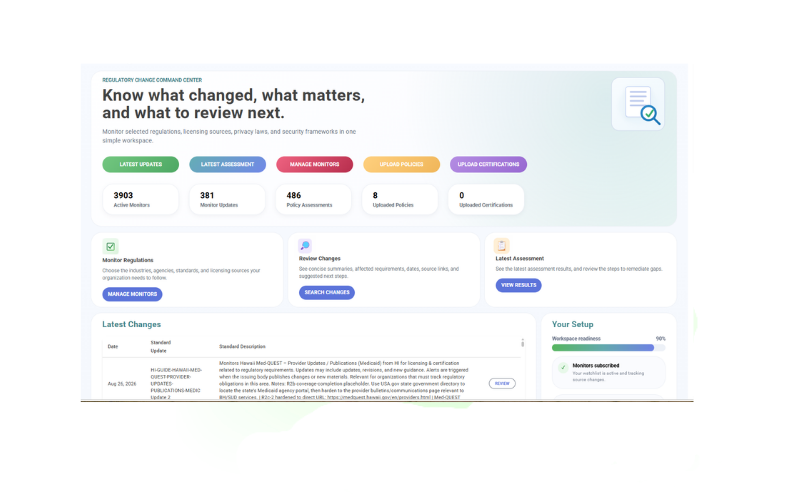
Select your monitors, receive organized change intelligence and optionally connect policies for gap assessment.
Choose the agencies, regulations, standards, licensing sources and jurisdictions relevant to your operations.
See what changed, important dates, affected requirements, source links and suggested review areas.
Upload and assign guest-service, accessibility, privacy, employment or food-service policies to the monitors they support.
Review potential policy gaps, next steps, ownership and supporting evidence in a consistent workflow.
Rixena follows the rule, bulletin, manual, guidance or licensing source your team selects.
The update is captured, summarized and organized so reviewers can focus on what changed.
Your team receives a focused review package instead of another unstructured alert.
Rixena can support different brands, management structures, amenities and jurisdictions without forcing every property into the same watchlist.
Create your free monitoring accountReduce repeated searches across individual agency and program websites.
Give owners the source, dates, affected topics and review context in one place.
Connect selected requirements with the policies and procedures your team relies on.
Keep regulatory updates, assessments, review activity and supporting evidence organized.
Start with regulatory monitoring, then add policy assessment workflows when your team is ready.
Request a DemoOrganizations can select relevant sources covering accessibility, employment, guest privacy, payment security, food safety, alcohol service, licensing, franchising and local operating requirements. Available coverage depends on the selected monitors and sources.
Yes. Watchlists can be organized by property, state, city, service mix, brand and operating model.
Teams may select available ADA, state, local and other relevant accessibility sources for physical facilities, guest services and digital experiences. Coverage depends on the selected monitors.
No. Uploads are optional. They are useful when teams want to connect selected monitors to guest-service, accessibility, privacy, employment, food-service or incident procedures.
No. Rixena provides regulatory intelligence and workflow support. Your organization remains responsible for licensing, applicability and professional advice.
Get a free Rixena account and begin building your organization’s monitoring watchlist.